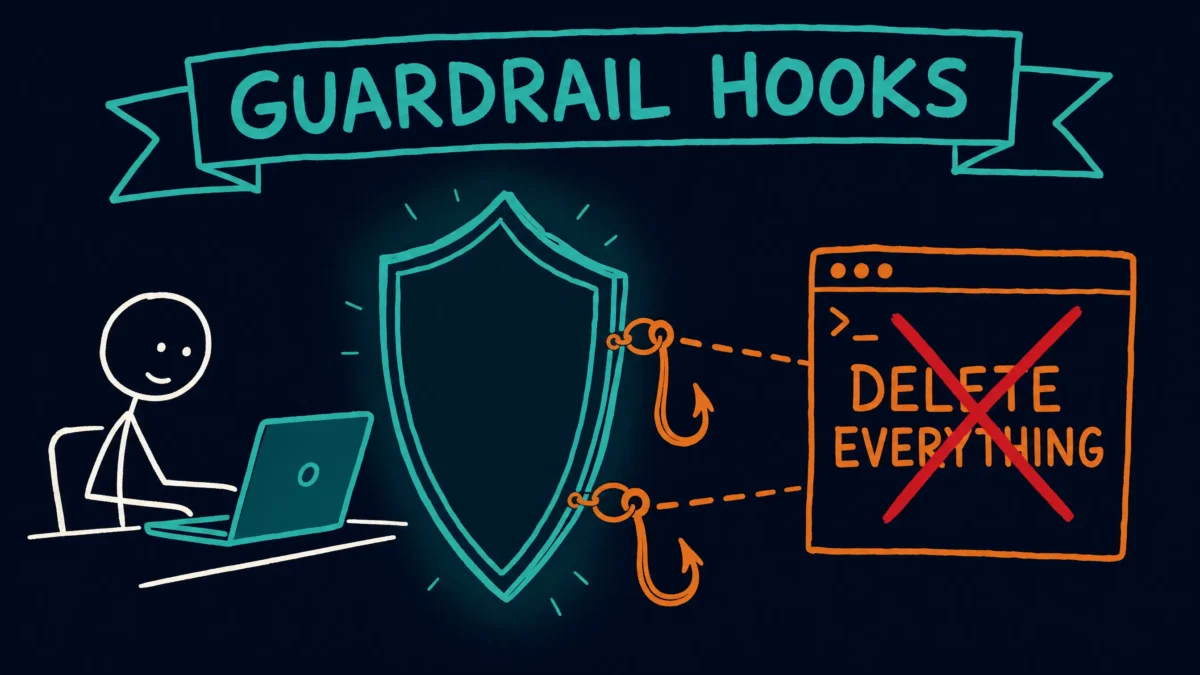
A CLAUDE.md rule only asks the model to behave. A hook is code that runs every time and can veto the action. Here are the two PreToolUse hooks I use, what every line does, how to wire them up, and how to port them to Linux and Windows.
Introduction
Most people put their Claude Code guardrails in a CLAUDE.md file. Do not run rm -rf. Never touch my .env. Always use uv instead of pip. That works, right up to the point where it does not, because a CLAUDE.md rule is advisory. The model reads it, intends to follow it, and most of the time does. It is a strong suggestion, not a wall.
If you want a wall, you need a hook.
A hook is a small script the Claude Code harness runs at a defined moment in the tool lifecycle. A PreToolUse hook runs before a tool call executes and can cancel it. The model does not get a vote. That is the difference between “please do not delete my files” and “you cannot delete my files in this session.”
This post covers the two PreToolUse hooks I run on every project:
block-dangerous.shintercepts Bash commands and refuses destructive ones (rm -rf,sudo, force pushes, raw disk writes, pipe-to-shell installers).protect-files.shintercepts Write and Edit calls and refuses edits to sensitive files (.env, private keys, lockfiles, anything undersecrets/).
I will walk through what each line does, how to register them, and what changes when you run them on Linux or Windows. They guard against a bad command. They do not stop a bad dependency, which is how the Axios attack reached people.
How a hook blocks an action
Every PreToolUse hook gets the pending tool call as JSON on standard input and answers with an exit code:
exit 0allows the tool call to proceed.exit 2denies the call and feeds the hook’s standard-error text back to the model as the reason it was blocked.- any other non-zero code is treated as a non-blocking error and the call proceeds.
So the entire enforcement mechanism is three lines: read the input, decide, and on a bad match print a message to stderr and exit 2. Everything else is just pattern matching. Other hooks fire at other moments. The jev-router guide uses UserPromptSubmit, which runs when you press Enter, to send routine messages to a cheaper model.
Both scripts parse the JSON input with jq. If you do not have it, brew install jq on macOS, or your distro’s package manager on Linux.
Script 1: block-dangerous.sh
This one guards Bash. Save it at ~/.claude/hooks/block-dangerous.sh.
#!/usr/bin/env bash
set -euo pipefail
cmd=$(jq -r '.tool_input.command // ""')

dangerous_patterns=(
  # recursive+force rm in any flag order or split flags
  "rm +-[a-z]*r[a-z]*f"      # -rf, -rfv, -Rf
  "rm +-[a-z]*f[a-z]*r"      # -fr
  "rm +-r +-f"               # rm -r -f
  "rm +-f +-r"               # rm -f -r
  "rm +--recursive"          # long form
  # mass delete via find
  "find .*-delete"
  # raw disk / filesystem writes
  "dd .*of="
  "mkfs"
  # world-writable recursive perms
  "chmod .*777"
  # privilege escalation
  "(^|[ ;&|])sudo "
  # writes to device files (note: /dev/null and /dev/stderr stay allowed)
  "> */dev/(sd|disk|rdisk|nvme|hd|zero|mem)"
  # version control traps
  "git reset --hard"
  "git push.*--force"
  # destructive SQL
  "DROP TABLE"
  "DROP DATABASE"
  # pipe-to-shell installers
  "curl.*[|].*sh"
  "wget.*[|].*bash"
)

for pattern in "${dangerous_patterns[@]}"; do
  if echo "$cmd" | grep -qiE "$pattern"; then
    echo "Blocked: '$cmd' matches dangerous pattern '$pattern'. Propose a safer alternative." >&2
    exit 2
  fi
done
exit 0
What each part does
set -euo pipefail makes the script fail loudly instead of limping along: exit on any error, treat unset variables as errors, and fail a pipeline if any stage fails. Standard hardening for a script you are trusting with safety.
cmd=$(jq -r '.tool_input.command // ""') pulls the command string out of the tool input. The // "" is a jq fallback that returns an empty string if the field is missing, so the script never chokes on an unexpected input shape.
The dangerous_patterns array is the policy, written as extended regular expressions. A few are worth calling out:
- The four
rmpatterns catch recursive-force deletes in any flag order.rm -rf,rm -fr,rm -r -f, and the long-form--recursiveall match. Catching the flag variants matters, because a model that knows-rfis blocked might reach for-frnext. dd .*of=andmkfsblock raw disk writes, the kind of command that has no undo.(^|[ ;&|])sudoblocks privilege escalation, and the leading group ensures it matches whethersudostarts the command or sits after a;,&, or pipe.curl.*[|].*shandwget.*[|].*bashblock the classic pipe-an-installer-straight-into-a-shell move, where you run code you never saw.git reset --hardandgit push.*--forceblock the two git commands most likely to destroy uncommitted work or someone else’s history.
The loop walks every pattern, runs grep -qiE (quiet, case-insensitive, extended regex), and on the first match prints why and exits 2. The message names the offending command and the pattern it hit, so when the model gets the block it knows exactly what to avoid and can propose a safer path.
Script 2: protect-files.sh
This one guards Write and Edit, the tools the model uses to change files. Save it at ~/.claude/hooks/protect-files.sh.
#!/usr/bin/env bash
set -euo pipefail
file=$(jq -r '.tool_input.file_path // .tool_input.path // ""')
[ -z "$file" ] && exit 0
base=$(basename "$file")

# Filename globs matched against the basename (works at any path depth)
name_globs=(".env" ".env.*" "*.pem" "*.key" "package-lock.json" "yarn.lock" "id_rsa" "id_ed25519")

# Path fragments matched anywhere in the full path
path_fragments=("/.git/" "/secrets/" "/.ssh/")

glob_to_regex() { printf '%s' "$1" | sed -e 's/[.]/\\./g' -e 's/[*]/.*/g'; }

for g in "${name_globs[@]}"; do
  if echo "$base" | grep -qiE "^$(glob_to_regex "$g")$"; then
    echo "Blocked: '$file' is protected (matched '$g'). Explain why this edit is necessary." >&2
    exit 2
  fi
done

for frag in "${path_fragments[@]}"; do
  case "/$file" in
    *"$frag"*)
      echo "Blocked: '$file' is protected (matched '$frag'). Explain why this edit is necessary." >&2
      exit 2;;
  esac
done
exit 0
What each part does
file=$(jq -r '.tool_input.file_path // .tool_input.path // ""') reads the target path. It checks file_path first, then path, then falls back to empty, covering the field names different tools use. The next line bails out cleanly if no path came through.
base=$(basename "$file") is the key design choice. Claude Code passes file paths as absolute paths, so the hook sees /Users/me/project/.env, not .env. Matching filename rules against the basename means a rule like .env catches that file no matter how deep it sits. Anchoring a glob against the whole absolute path would never line up.
name_globs are the filename rules: dotenv files, private keys, lockfiles, and common SSH key names. Each is matched against the basename.
path_fragments are the directory rules. Some things you protect by folder, not by filename. Checking that the path contains /.git/, /secrets/, or /.ssh/ catches everything inside those directories at any depth.
glob_to_regex converts a shell glob into a safe regex: it escapes the dots and turns * into .*. Escaping the dots matters, because an unescaped . is a regex wildcard, so .env would otherwise match strings like xenv. With the dot escaped, the match is literal.
The two loops check filename rules against the basename and directory rules against the full path. On any match they print the file and the rule that caught it, then exit 2.
A useful property of this layout: env.example is correctly allowed, because its basename does not match .env or .env.*. The leading dot is what makes a file a real dotenv file, and the basename match respects that.
Wiring them up
Register both in the hooks block of ~/.claude/settings.json. Each is matched to the tools it guards.
{
  "hooks": {
    "PreToolUse": [
      {
        "matcher": "Bash",
        "hooks": [
          { "type": "command", "command": "~/.claude/hooks/block-dangerous.sh" }
        ]
      },
      {
        "matcher": "Write|Edit",
        "hooks": [
          { "type": "command", "command": "~/.claude/hooks/protect-files.sh" }
        ]
      }
    ]
  }
}
The matcher is the scope. block-dangerous.sh only ever sees Bash calls, and protect-files.sh only sees Write and Edit calls, because of those matcher strings. A "*" matcher would run the hook on every tool, which you almost never want for a guardrail.
Install checklist
- Save both scripts under
~/.claude/hooks/, or copy them from the GitHub repo. - Make them executable:
chmod +x ~/.claude/hooks/block-dangerous.sh ~/.claude/hooks/protect-files.sh - Confirm
jqis installed:jq --version. - Add the
hooksblock above to~/.claude/settings.json, merging it if you already have ahookskey. - Start a new Claude Code session so settings reload.
- Test it. Ask Claude Code to run
rm -rf ./tmpor to edit a.envfile. Both should be refused with the reason shown. If nothing is blocked, recheck thechmod +xstep and the matcher names. A guardrail you never watched fire is a guess, so run the bad command on purpose once and confirm the block.
Porting notes: Linux and Windows
The logic is portable. What changes is the runtime the scripts assume: a real bash, a jq binary, and a grep that speaks extended regex. Here is the landscape.
| Dependency | macOS | Linux | Windows |
|---|---|---|---|
bash |
built-in (3.2) | built-in (4+) | Git Bash or WSL |
jq |
brew install jq |
distro package | bundled with Git Bash, or scoop/winget |
grep -E |
BSD grep | GNU grep | Git Bash or WSL grep |
| hook path style | ~/.claude/... |
~/.claude/... |
see note below |
Linux
These scripts run on Linux with no changes. The shebang is #!/usr/bin/env bash, so they find bash wherever it lives. Install jq with your package manager:
sudo apt install jq        # Debian/Ubuntu
sudo dnf install jq        # Fedora/RHEL
sudo pacman -S jq          # Arch
One note on the difference between BSD and GNU grep: both honor -E for extended regex, and neither script uses a GNU-only construct like \b word boundaries, so the patterns behave the same on both. If you extend the patterns later and reach for \b, test it on your actual platform, because that is where the two greps diverge.
Windows
Windows has no native bash, so you have two paths.
WSL (simpler). Inside a WSL distro the scripts run exactly as they do on Linux. Install jq, drop the scripts in ~/.claude/hooks/ inside WSL, and run Claude Code from inside WSL so the hook commands resolve against the Linux filesystem.
Git Bash (native, no WSL). Install Git for Windows, which ships bash, grep, and jq-capable tooling. The catch is path expansion. The ~/.claude/... shorthand in settings.json may not expand the way you expect when the harness invokes the command through the Windows shell. Use an explicit invocation and a full path:
{ "type": "command", "command": "bash \"C:/Users/you/.claude/hooks/block-dangerous.sh\"" }Calling bash explicitly removes the dependency on the executable bit, which Windows filesystems do not carry the way Unix ones do.
The portable alternative: rewrite in Python
If you want one copy of these hooks that runs identically on all three operating systems with no bash-versus-PowerShell branching, rewrite them in Python. Python reads the same JSON on stdin, the same sys.exit(2) blocks the call, and re gives you one regex dialect everywhere. It is the path I would take if I were starting fresh and cared about Windows as a first-class target. The bash versions here are the right tool when your machines are macOS and Linux.
Takeaways
CLAUDE.mdasks. Hooks enforce. For anything you truly never want to happen, the rule belongs in aPreToolUsehook, not only in prose.exit 2is the whole mechanism. Print a reason to stderr, exit 2, and the tool call is refused with that reason handed back to the model.- The matcher is the scope. Bind each guardrail to the exact tool it guards so it never runs where it should not.
- Match basenames for filename rules and path fragments for directory rules. Claude Code passes absolute paths, so this is what makes a file rule catch its target at any depth.
- Confirm the block once. Run the dangerous command on purpose, watch it get refused, and only then call it protection.
These two hooks are not large, and that is the point. A handful of patterns and an exit 2 turn a polite request into an enforced boundary your assistant cannot cross. For a check that runs before a blog post goes public, see the auto-sanitize pipeline that scans drafts for leaked keys, IPs, and emails.